Features & Example Project
The demo project included with Simple Steam Session covers all the core features of a multiplayer game lobby. This page walks through each one so you know exactly what's there and how to adapt it to your own game.
Session Flow — Create, Search, Join
The backbone of the project is a complete session lifecycle: from the main menu to an active multiplayer game.
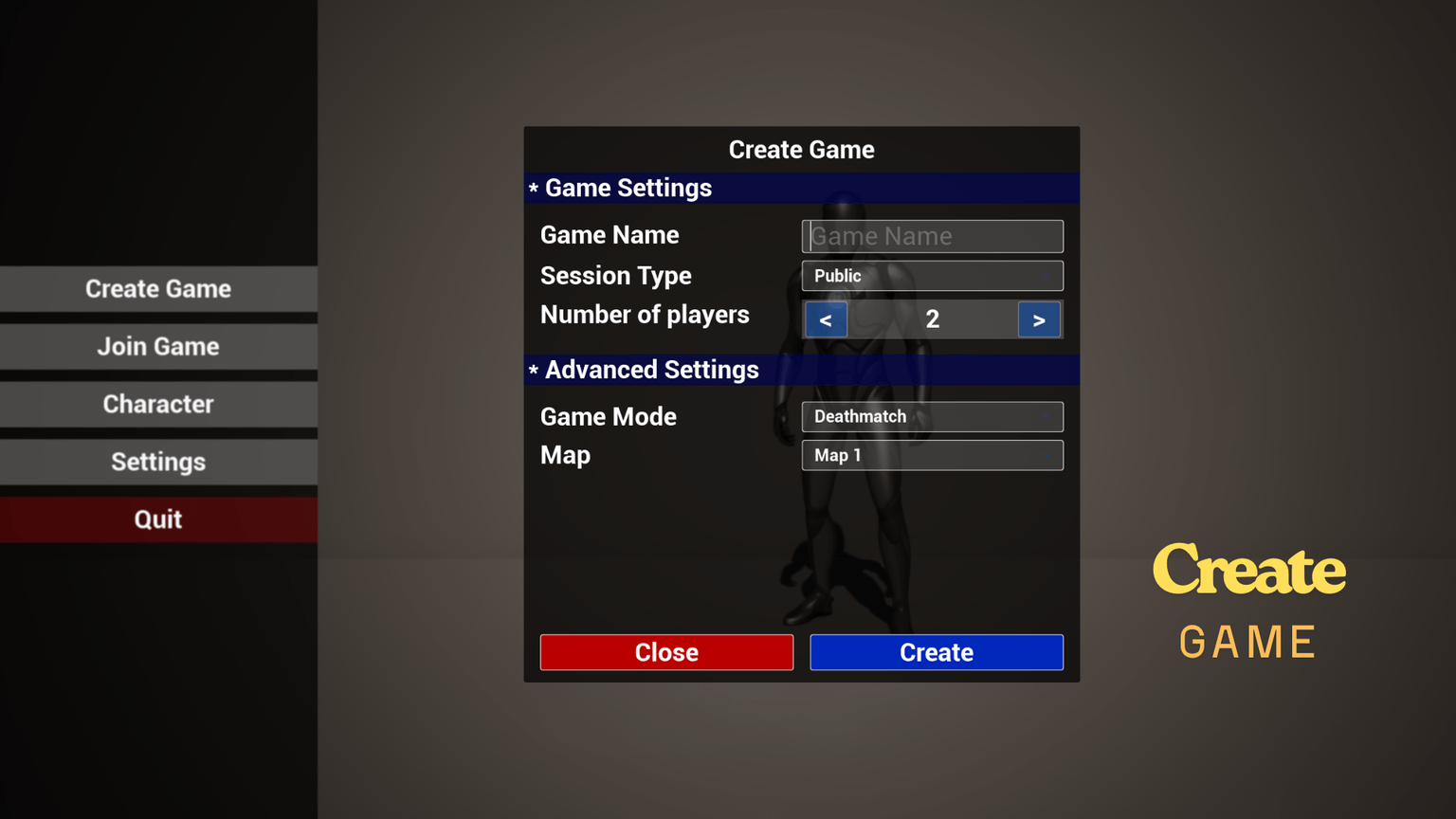
Main Menu
The player lands on the main menu. From here they can either host a new session or search for existing ones.
Create a Session
The host fills in session details (session name, game mode, map, max players, and optionally a password) and creates the lobby.
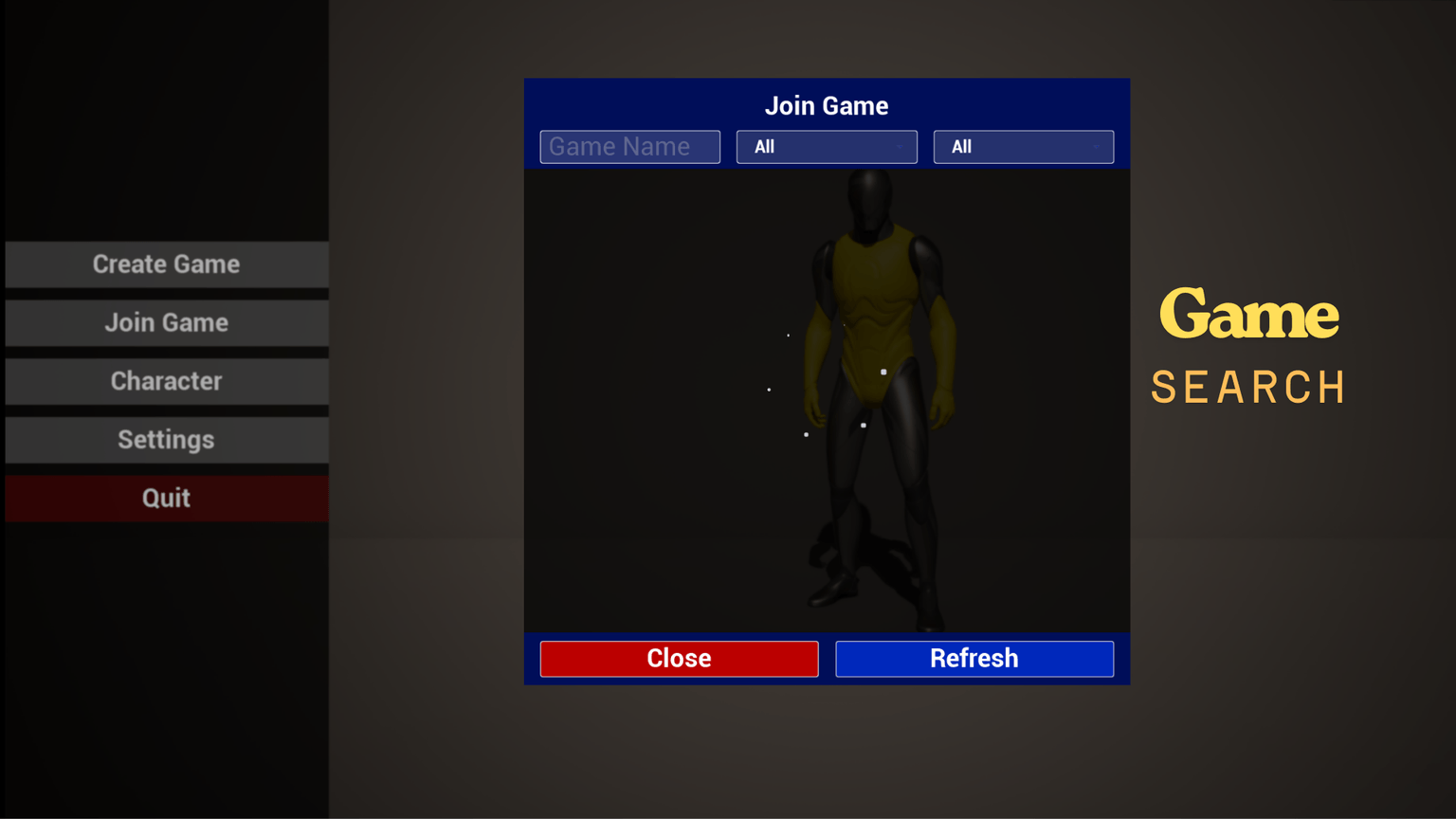
Session Search
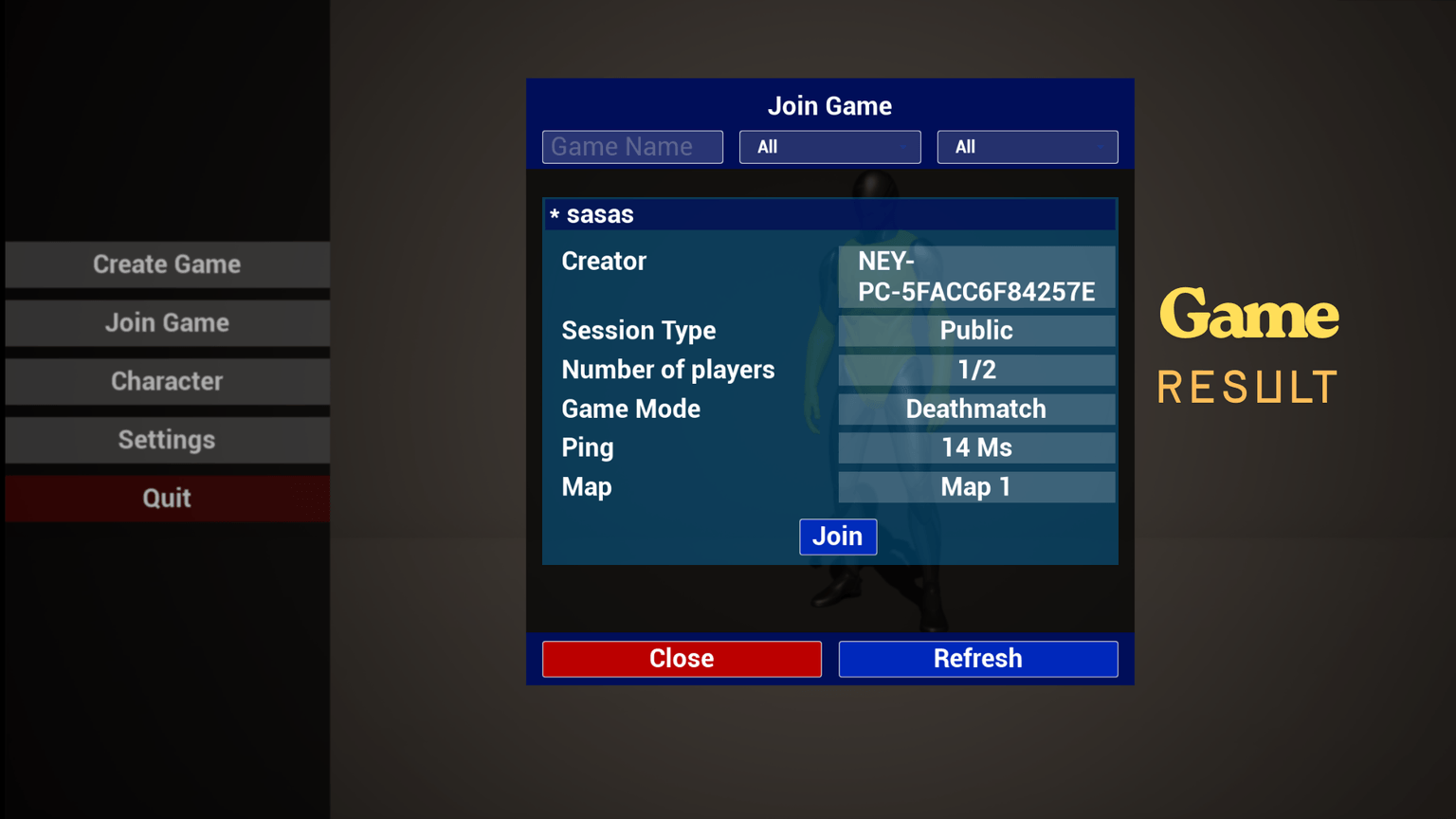
Other players browse the list of available sessions. Each entry shows the session name, game mode, current player count, and a lock icon if password-protected.
Join & Travel
The player selects a session, enters a password if required, and connects. All players are then traveled to the chosen map.
Private Matches & Password Protection
Hosts can lock their session with a password at creation time. Players who try to join a locked session are prompted to enter the password before connecting.
This feature is entirely Blueprint-driven — no backend or external service needed.
Skin Selection
Players can choose a character skin directly from the lobby before the match starts. The selection is replicated so all players see each other's chosen appearance in real time.
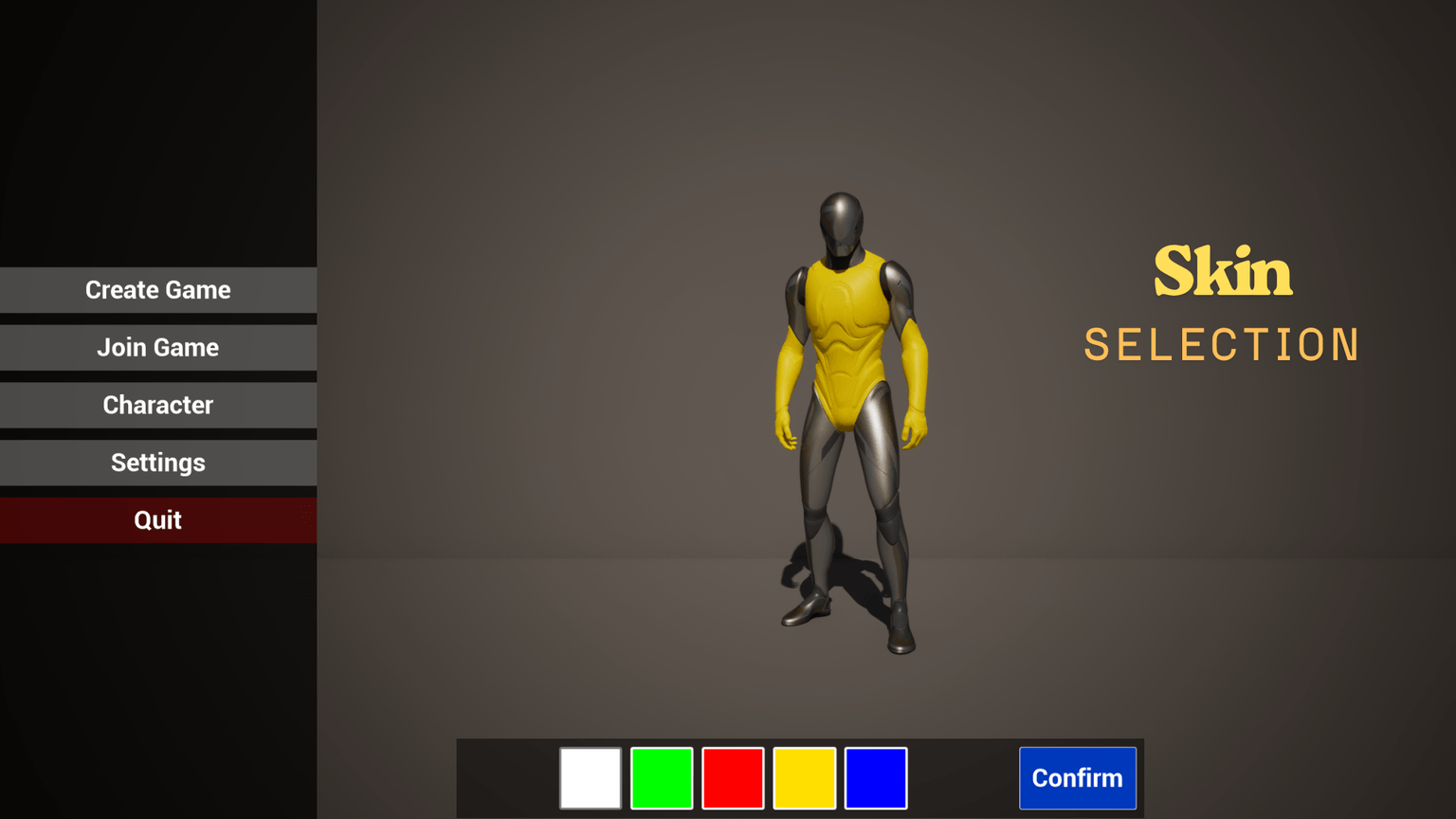
The skin system works by swapping the character's material at runtime.
In-Game Graphic Settings
A built-in settings panel lets players adjust visual quality without leaving the game. The following settings are available:
| Setting | Options |
|---|---|
| Overall Quality | Low / Medium / High / Epic |
| Shadow Quality | Low / Medium / High / Epic |
| Resolution Scale | Slider (50% → 100%) |
All settings are applied immediately and can be extended by adding more Execute Console Command nodes in the settings widget.
Project Structure
The project is organized to make customization straightforward:
SimpleSteamSession/
├── BP/
│   ├── UI/              ← All UI Widgets (menus, lobby, settings, HUD)
│   ├── GameInstance     ← Session logic, map list, game modes
│   └── Character        ← Player character with skin system
└── Demo/
    └── Maps/            ← Ready-to-use example maps
Adapting to Your Own Game
Simple Steam Session is designed as a starting template, not a black box. Here are the most common things you'll want to customize:
Add your own maps — Open the Game Instance Blueprint and update the map list array with your level names.
Add your own game modes — Same place: update the game mode array.
Replace the character — Swap the skeletal mesh and update the material slots in UI_Character and the Character Blueprint.
Extend the settings panel — Add new rows to the settings widget and bind them to console commands or project settings.
Change the UI style — All widgets use standard UMG components and are fully editable in the UMG editor.